Screen Mirroring - 1001 TVs3.0.32
Publisher Description
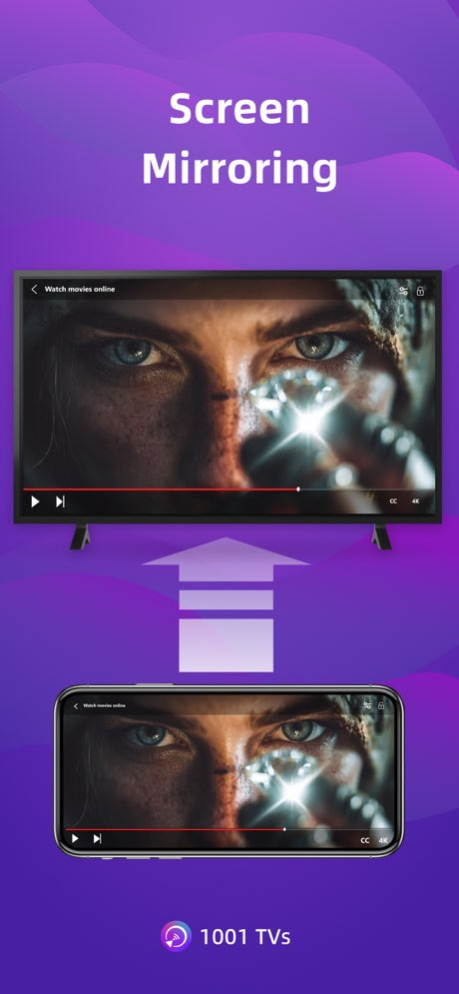
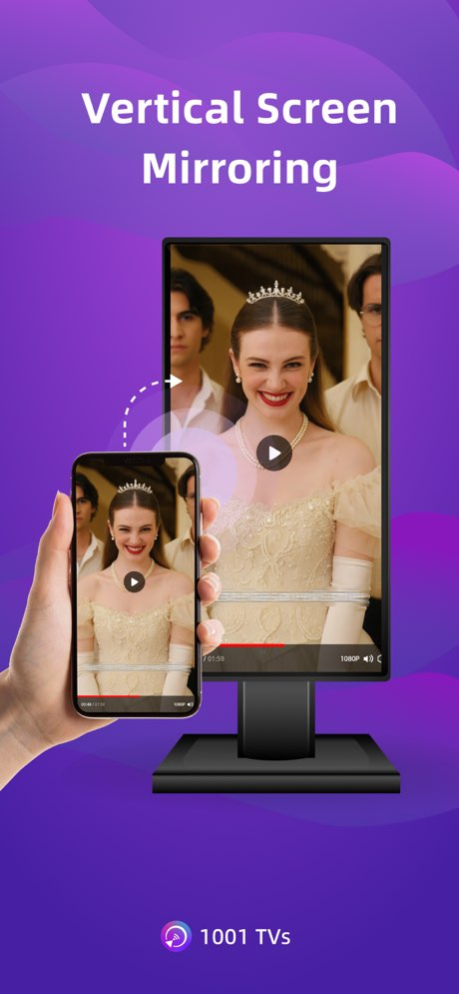
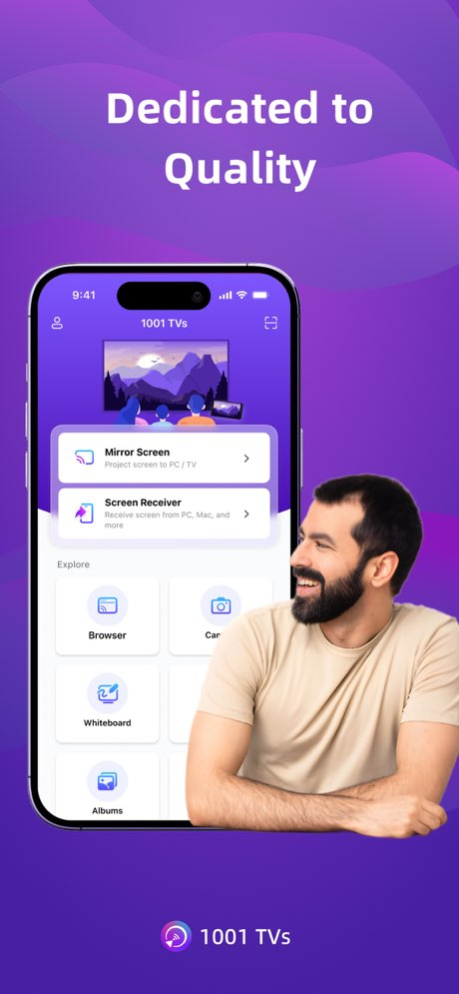
1001 TVs lets you cast your phone or tablet to Windows, Mac, Smart TV, Apple TV-even a web browser. You can also receive screen mirroring from other phones and PCs.
We are a professional team on screen mirroring, always focus on the core features:
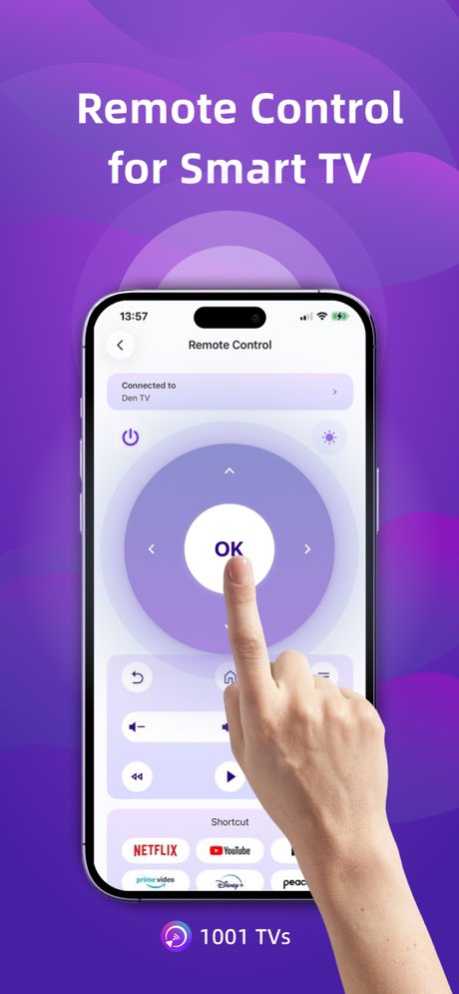
[New Feature] TV Remote Control - Auto-detect Smart TVs on the same Wi-Fi and control Power / Volume / Home / Channels / Direction pad (Up/Down/Left/Right) + Select/Confirm.
- Support landscape mode and portrait mode that keep same ratio with phone's screen
- Real-Time screen mirroring, keep best balance with low Latency and good quality
- Audio and video stay perfectly in sync
- Mirror multiple phones to one PC at the same time
- Automatically rotates screen to match your phone’s orientation
- Fit, Fill, or Zoom mode to remove black borders
- Support screen mirroring to older devices that don't support AirPlay or Miracast
- Mirror to any browser (like Chrome) - no app needed on the receiver side
- Live Camera Mirroring - mirror what your camera sees to a big screen in real time. Great for selfies, support mirror flip
- Whiteboard - draw or write and share in real time on TV or PC
Also provide additional features:
* Photo Albums - Upload and display photos on your TV
* Web Streaming - Stream videos, music, and images to Smart TVs
* Fast File Transfer - Quickly send files between devices without cables
How to Get Started?
# Install 1001 TVs on your phone and the device you want to cast to (PC, TV or tablet)
# Connect both devices to the same Wi-Fi network
# Open the app, select a device, and start mirroring
No cables, no complicated setup - just tap and go.
[Feedback]
Reach out to us at 1001tvs@nero.com or visit our website: www.1001tvs.com
[Subscription Plan]
-Service Title: Auto-renew Weekly, Auto-renew Monthly, Auto-renew Yearly and Lifetime;
-Your payment will be charged to your store account once you confirm the purchase;
-Your subscription will automatically renew unless canceled at least 24 hours before the end of the current period;
-You can always cancel the subscription through your store account;
[Terms of Use]
http://1001tvs.com/license/en/terms.html
[Privacy Policy]
http://1001tvs.com/license/en/privacy.html
For privacy, screen casting data remains within your local network and will never be uploaded.
Version History - Refined the app interface for a smoother, more intuitive experience.
- Fixed bugs and improved screen mirroring stability. 3.0.32 Sep 5 - Refined the app interface for a smoother, more intuitive experience.
- Fixed bugs and improved screen mirroring stability. 3.0.31 Sep 1 - Updated the interface for a cleaner, more intuitive experience.
- Improved the device pairing process.
- Streamlined the process of sending files and casting photos to your TV. 3.0.30 Jul 21 Improve performance of screen mirroring,
Improve experience of membership. 3.0.29 Jun 24 Improve performance 3.0.28 Jun 3 Bug fixes and performance improvements. 3.0.27 May 21 - Now supports receiving files directly from PC, Mac, and other phones.
- TV Remote: You can now directly launch TV apps from your phone.
- Bug fixes and performance improvements. 3.0.26 Apr 10 Bug fixes and performance improvements. 3.0.25 Feb 6 [New Feature] TV Remote Control — Auto-detect Smart TVs on the same Wi-Fi and control Power / Volume / Home / Channels / Direction pad (Up/Down/Left/Right) + Select/Confirm. 3.0.24 Jan 22 Bug fixes and performance improvements. 3.0.23 12/21/2025 Bug fixes and performance improvements. 3.0.22 11/18/2025 - Updated Album and File Picker pages for a better browsing experience.
- Added "Upload to TV" option in File Transfer.
- Support 60 FPS for smoother casting.
- Improved overall performance and stability. 3.0.21 10/27/2025 Improve performance of screen mirroring 3.0.20 09/29/2025 Bug fixes and performance improvements. 3.0.19 09/23/2025 - Default frame rate is now 60 FPS for smoother casting.
- Improved performance and user experience. 3.0.18 09/20/2025 We've made significant performance improvements to screen mirroring to reduce lag and provide a smoother experience. 3.0.17 09/01/2025 Bug fixes and performance improvements. 3.0.16 08/27/2025 You can now adjust the screen mirroring quality — choose the clarity that suits your device and network. 3.0.15 07/27/2025 The main interface has been refined for a clearer layout and smoother experience.
It’s easier to navigate, more organized, and pleasant to use — we hope it feels just right.
Let us know how it works for you! 3.0.14 07/08/2025 Bug fixes and performance improvements. 3.0.13 06/25/2025 Bug fixes and performance improvements. 3.0.11 06/19/2025 Thanks for staying with 1001 TVs!
This update brings:
– Bug fixes and smoother performance
– A fresh summer look to brighten your screen
We’d love to hear from you: 1001tvs@nero.com
Enjoying the app? A kind review would mean a lot! 3.0.9 05/26/2025 Bugfix for lifetime membership 3.0.7 04/21/2025 - Device search is now faster and more reliable.
- Album casting is improved — adding albums is now easier, including via QR code. 3.0.6 04/18/2025 [New Feature] Mirror Camera – Mirror your phone’s camera to a bigger screen, so you can use the back camera while seeing yourself—great for selfies, vlogs, or filming yourself. 3.0.5 03/17/2025
About Screen Mirroring - 1001 TVs
The company that develops Screen Mirroring - 1001 TVs is Nero AG. The latest version released by its developer is 3.0.32.
To install Screen Mirroring - 1001 TVs on your iOS device, just click the green Continue To App button above to start the installation process. The app is listed on our website since 2026-10-07 and was downloaded 202 times. We have already checked if the download link is safe, however for your own protection we recommend that you scan the downloaded app with your antivirus. Your antivirus may detect the Screen Mirroring - 1001 TVs as malware if the download link is broken.
How to install Screen Mirroring - 1001 TVs on your iOS device:
- Click on the Continue To App button on our website. This will redirect you to the App Store.
- Once the Screen Mirroring - 1001 TVs is shown in the iTunes listing of your iOS device, you can start its download and installation. Tap on the GET button to the right of the app to start downloading it.
- If you are not logged-in the iOS appstore app, you'll be prompted for your your Apple ID and/or password.
- After Screen Mirroring - 1001 TVs is downloaded, you'll see an INSTALL button to the right. Tap on it to start the actual installation of the iOS app.
- Once installation is finished you can tap on the OPEN button to start it. Its icon will also be added to your device home screen.
Program Details
System requirements
Download information
Pricing
Version History
version 3.0.32
posted on 2026-10-07
Version History - Refined the app interface for a smoother, more intuitive experience.
- Fixed bugs and improved screen mirroring stability. 3.0.32 Sep 5 - Refined the app interface for a smoother, more intuitive experience.
- Fixed bugs and improved screen mirroring stability. 3.0.31 Sep 1 - Updated the interface for a cleaner, more intuitive experience.
- Improved the device pairing process.
- Streamlined the process of sending files and casting photos to your TV. 3.0.30 Jul 21 Improve performance of screen mirroring,
Improve experience of membership. 3.0.29 Jun 24 Improve performance 3.0.28 Jun 3 Bug fixes and performance improvements. 3.0.27 May 21 - Now supports receiving files directly from PC, Mac, and other phones.
- TV Remote: You can now directly launch TV apps from your phone.
- Bug fixes and performance improvements. 3.0.26 Apr 10 Bug fixes and performance improvements. 3.0.25 Feb 6 [New Feature] TV Remote Control — Auto-detect Smart TVs on the same Wi-Fi and control Power / Volume / Home / Channels / Direction pad (Up/Down/Left/Right) + Select/Confirm. 3.0.24 Jan 22 Bug fixes and performance improvements. 3.0.23 12/21/2025 Bug fixes and performance improvements. 3.0.22 11/18/2025 - Updated Album and File Picker pages for a better browsing experience.
- Added "Upload to TV" option in File Transfer.
- Support 60 FPS for smoother casting.
- Improved overall performance and stability. 3.0.21 10/27/2025 Improve performance of screen mirroring 3.0.20 09/29/2025 Bug fixes and performance improvements. 3.0.19 09/23/2025 - Default frame rate is now 60 FPS for smoother casting.
- Improved performance and user experience. 3.0.18 09/20/2025 We've made significant performance improvements to screen mirroring to reduce lag and provide a smoother experience. 3.0.17 09/01/2025 Bug fixes and performance improvements. 3.0.16 08/27/2025 You can now adjust the screen mirroring quality — choose the clarity that suits your device and network. 3.0.15 07/27/2025 The main interface has been refined for a clearer layout and smoother experience.
It’s easier to navigate, more organized, and pleasant to use — we hope it feels just right.
Let us know how it works for you! 3.0.14 07/08/2025 Bug fixes and performance improvements. 3.0.13 06/25/2025 Bug fixes and performance improvements. 3.0.11 06/19/2025 Thanks for staying with 1001 TVs!
This update brings:
– Bug fixes and smoother performance
– A fresh summer look to brighten your screen
We’d love to hear from you: 1001tvs@nero.com
Enjoying the app? A kind review would mean a lot! 3.0.9 05/26/2025 Bugfix for lifetime membership 3.0.7 04/21/2025 - Device search is now faster and more reliable.
- Album casting is improved — adding albums is now easier, including via QR code. 3.0.6 04/18/2025 [New Feature] Mirror Camera – Mirror your phone’s camera to a bigger screen, so you can use the back camera while seeing yourself—great for selfies, vlogs, or filming yourself. 3.0.5 03/17/2025
version 3.0.32
posted on 2026-09-06
Version History - Refined the app interface for a smoother, more intuitive experience.
- Fixed bugs and improved screen mirroring stability. 3.0.32 7h ago - Refined the app interface for a smoother, more intuitive experience.
- Fixed bugs and improved screen mirroring stability. 3.0.31 4d ago - Updated the interface for a cleaner, more intuitive experience.
- Improved the device pairing process.
- Streamlined the process of sending files and casting photos to your TV. 3.0.30 Jul 21 Improve performance of screen mirroring,
Improve experience of membership. 3.0.29 Jun 24 Improve performance 3.0.28 Jun 3 Bug fixes and performance improvements. 3.0.27 May 21 - Now supports receiving files directly from PC, Mac, and other phones.
- TV Remote: You can now directly launch TV apps from your phone.
- Bug fixes and performance improvements. 3.0.26 Apr 10 Bug fixes and performance improvements. 3.0.25 Feb 6 [New Feature] TV Remote Control — Auto-detect Smart TVs on the same Wi-Fi and control Power / Volume / Home / Channels / Direction pad (Up/Down/Left/Right) + Select/Confirm. 3.0.24 Jan 22 Bug fixes and performance improvements. 3.0.23 12/21/2025 Bug fixes and performance improvements. 3.0.22 11/18/2025 - Updated Album and File Picker pages for a better browsing experience.
- Added "Upload to TV" option in File Transfer.
- Support 60 FPS for smoother casting.
- Improved overall performance and stability. 3.0.21 10/27/2025 Improve performance of screen mirroring 3.0.20 09/29/2025 Bug fixes and performance improvements. 3.0.19 09/23/2025 - Default frame rate is now 60 FPS for smoother casting.
- Improved performance and user experience. 3.0.18 09/20/2025 We've made significant performance improvements to screen mirroring to reduce lag and provide a smoother experience. 3.0.17 09/01/2025 Bug fixes and performance improvements. 3.0.16 08/27/2025 You can now adjust the screen mirroring quality — choose the clarity that suits your device and network. 3.0.15 07/27/2025 The main interface has been refined for a clearer layout and smoother experience.
It’s easier to navigate, more organized, and pleasant to use — we hope it feels just right.
Let us know how it works for you! 3.0.14 07/08/2025 Bug fixes and performance improvements. 3.0.13 06/25/2025 Bug fixes and performance improvements. 3.0.11 06/19/2025 Thanks for staying with 1001 TVs!
This update brings:
– Bug fixes and smoother performance
– A fresh summer look to brighten your screen
We’d love to hear from you: 1001tvs@nero.com
Enjoying the app? A kind review would mean a lot! 3.0.9 05/26/2025 Bugfix for lifetime membership 3.0.7 04/21/2025 - Device search is now faster and more reliable.
- Album casting is improved — adding albums is now easier, including via QR code. 3.0.6 04/18/2025 [New Feature] Mirror Camera – Mirror your phone’s camera to a bigger screen, so you can use the back camera while seeing yourself—great for selfies, vlogs, or filming yourself. 3.0.5 03/17/2025
version 3.0.30
posted on 2026-08-26
Version History - Updated the interface for a cleaner, more intuitive experience.
- Improved the device pairing process.
- Streamlined the process of sending files and casting photos to your TV. 3.0.30 Jul 21 Improve performance of screen mirroring,
Improve experience of membership. 3.0.29 Jun 24 Improve performance 3.0.28 Jun 3 Bug fixes and performance improvements. 3.0.27 May 21 - Now supports receiving files directly from PC, Mac, and other phones.
- TV Remote: You can now directly launch TV apps from your phone.
- Bug fixes and performance improvements. 3.0.26 Apr 10 Bug fixes and performance improvements. 3.0.25 Feb 6 [New Feature] TV Remote Control — Auto-detect Smart TVs on the same Wi-Fi and control Power / Volume / Home / Channels / Direction pad (Up/Down/Left/Right) + Select/Confirm. 3.0.24 Jan 22 Bug fixes and performance improvements. 3.0.23 12/21/2025 Bug fixes and performance improvements. 3.0.22 11/18/2025 - Updated Album and File Picker pages for a better browsing experience.
- Added "Upload to TV" option in File Transfer.
- Support 60 FPS for smoother casting.
- Improved overall performance and stability. 3.0.21 10/27/2025 Improve performance of screen mirroring 3.0.20 09/29/2025 Bug fixes and performance improvements. 3.0.19 09/23/2025 - Default frame rate is now 60 FPS for smoother casting.
- Improved performance and user experience. 3.0.18 09/20/2025 We've made significant performance improvements to screen mirroring to reduce lag and provide a smoother experience. 3.0.17 09/01/2025 Bug fixes and performance improvements. 3.0.16 08/27/2025 You can now adjust the screen mirroring quality — choose the clarity that suits your device and network. 3.0.15 07/27/2025 The main interface has been refined for a clearer layout and smoother experience.
It’s easier to navigate, more organized, and pleasant to use — we hope it feels just right.
Let us know how it works for you! 3.0.14 07/08/2025 Bug fixes and performance improvements. 3.0.13 06/25/2025 Bug fixes and performance improvements. 3.0.11 06/19/2025 Thanks for staying with 1001 TVs!
This update brings:
– Bug fixes and smoother performance
– A fresh summer look to brighten your screen
We’d love to hear from you: 1001tvs@nero.com
Enjoying the app? A kind review would mean a lot! 3.0.9 05/26/2025 Bugfix for lifetime membership 3.0.7 04/21/2025 - Device search is now faster and more reliable.
- Album casting is improved — adding albums is now easier, including via QR code. 3.0.6 04/18/2025 [New Feature] Mirror Camera – Mirror your phone’s camera to a bigger screen, so you can use the back camera while seeing yourself—great for selfies, vlogs, or filming yourself. 3.0.5 03/17/2025 Bug fixes and performance improvements. 3.0.4 03/04/2025 Improved Korean translations for better clarity. 3.0.3 02/17/2025
version 3.0.30
posted on 2026-07-23
Version History - Updated the interface for a cleaner, more intuitive experience.
- Improved the device pairing process.
- Streamlined the process of sending files and casting photos to your TV. 3.0.30 1d ago Improve performance of screen mirroring,
Improve experience of membership. 3.0.29 Jun 24 Improve performance 3.0.28 Jun 3 Bug fixes and performance improvements. 3.0.27 May 21 - Now supports receiving files directly from PC, Mac, and other phones.
- TV Remote: You can now directly launch TV apps from your phone.
- Bug fixes and performance improvements. 3.0.26 Apr 10 Bug fixes and performance improvements. 3.0.25 Feb 6 [New Feature] TV Remote Control — Auto-detect Smart TVs on the same Wi-Fi and control Power / Volume / Home / Channels / Direction pad (Up/Down/Left/Right) + Select/Confirm. 3.0.24 Jan 22 Bug fixes and performance improvements. 3.0.23 12/21/2025 Bug fixes and performance improvements. 3.0.22 11/18/2025 - Updated Album and File Picker pages for a better browsing experience.
- Added "Upload to TV" option in File Transfer.
- Support 60 FPS for smoother casting.
- Improved overall performance and stability. 3.0.21 10/27/2025 Improve performance of screen mirroring 3.0.20 09/29/2025 Bug fixes and performance improvements. 3.0.19 09/23/2025 - Default frame rate is now 60 FPS for smoother casting.
- Improved performance and user experience. 3.0.18 09/20/2025 We've made significant performance improvements to screen mirroring to reduce lag and provide a smoother experience. 3.0.17 09/01/2025 Bug fixes and performance improvements. 3.0.16 08/27/2025 You can now adjust the screen mirroring quality — choose the clarity that suits your device and network. 3.0.15 07/27/2025 The main interface has been refined for a clearer layout and smoother experience.
It’s easier to navigate, more organized, and pleasant to use — we hope it feels just right.
Let us know how it works for you! 3.0.14 07/08/2025 Bug fixes and performance improvements. 3.0.13 06/25/2025 Bug fixes and performance improvements. 3.0.11 06/19/2025 Thanks for staying with 1001 TVs!
This update brings:
– Bug fixes and smoother performance
– A fresh summer look to brighten your screen
We’d love to hear from you: 1001tvs@nero.com
Enjoying the app? A kind review would mean a lot! 3.0.9 05/26/2025 Bugfix for lifetime membership 3.0.7 04/21/2025 - Device search is now faster and more reliable.
- Album casting is improved — adding albums is now easier, including via QR code. 3.0.6 04/18/2025 [New Feature] Mirror Camera – Mirror your phone’s camera to a bigger screen, so you can use the back camera while seeing yourself—great for selfies, vlogs, or filming yourself. 3.0.5 03/17/2025 Bug fixes and performance improvements. 3.0.4 03/04/2025 Improved Korean translations for better clarity. 3.0.3 02/17/2025
version 3.0.29
posted on 2026-07-01
Version History Improve performance of screen mirroring,
Improve experience of membership. 3.0.29 6d ago Improve performance 3.0.28 Jun 3 Bug fixes and performance improvements. 3.0.27 May 21 - Now supports receiving files directly from PC, Mac, and other phones.
- TV Remote: You can now directly launch TV apps from your phone.
- Bug fixes and performance improvements. 3.0.26 Apr 10 Bug fixes and performance improvements. 3.0.25 Feb 6 [New Feature] TV Remote Control — Auto-detect Smart TVs on the same Wi-Fi and control Power / Volume / Home / Channels / Direction pad (Up/Down/Left/Right) + Select/Confirm. 3.0.24 Jan 22 Bug fixes and performance improvements. 3.0.23 12/21/2025 Bug fixes and performance improvements. 3.0.22 11/18/2025 - Updated Album and File Picker pages for a better browsing experience.
- Added "Upload to TV" option in File Transfer.
- Support 60 FPS for smoother casting.
- Improved overall performance and stability. 3.0.21 10/27/2025 Improve performance of screen mirroring 3.0.20 09/29/2025 Bug fixes and performance improvements. 3.0.19 09/23/2025 - Default frame rate is now 60 FPS for smoother casting.
- Improved performance and user experience. 3.0.18 09/20/2025 We've made significant performance improvements to screen mirroring to reduce lag and provide a smoother experience. 3.0.17 09/01/2025 Bug fixes and performance improvements. 3.0.16 08/27/2025 You can now adjust the screen mirroring quality — choose the clarity that suits your device and network. 3.0.15 07/27/2025 The main interface has been refined for a clearer layout and smoother experience.
It’s easier to navigate, more organized, and pleasant to use — we hope it feels just right.
Let us know how it works for you! 3.0.14 07/08/2025 Bug fixes and performance improvements. 3.0.13 06/25/2025 Bug fixes and performance improvements. 3.0.11 06/19/2025 Thanks for staying with 1001 TVs!
This update brings:
– Bug fixes and smoother performance
– A fresh summer look to brighten your screen
We’d love to hear from you: 1001tvs@nero.com
Enjoying the app? A kind review would mean a lot! 3.0.9 05/26/2025 Bugfix for lifetime membership 3.0.7 04/21/2025 - Device search is now faster and more reliable.
- Album casting is improved — adding albums is now easier, including via QR code. 3.0.6 04/18/2025 [New Feature] Mirror Camera – Mirror your phone’s camera to a bigger screen, so you can use the back camera while seeing yourself—great for selfies, vlogs, or filming yourself. 3.0.5 03/17/2025 Bug fixes and performance improvements. 3.0.4 03/04/2025 Improved Korean translations for better clarity. 3.0.3 02/17/2025 Bug fixes and performance improvements. 3.0.2 01/13/2025
version 3.0.28
posted on 2026-06-12
Version History Improve performance 3.0.28 Jun 3 Bug fixes and performance improvements. 3.0.27 May 21 - Now supports receiving files directly from PC, Mac, and other phones.
- TV Remote: You can now directly launch TV apps from your phone.
- Bug fixes and performance improvements. 3.0.26 Apr 10 Bug fixes and performance improvements. 3.0.25 Feb 6 [New Feature] TV Remote Control — Auto-detect Smart TVs on the same Wi-Fi and control Power / Volume / Home / Channels / Direction pad (Up/Down/Left/Right) + Select/Confirm. 3.0.24 Jan 22 Bug fixes and performance improvements. 3.0.23 12/21/2025 Bug fixes and performance improvements. 3.0.22 11/18/2025 - Updated Album and File Picker pages for a better browsing experience.
- Added "Upload to TV" option in File Transfer.
- Support 60 FPS for smoother casting.
- Improved overall performance and stability. 3.0.21 10/27/2025 Improve performance of screen mirroring 3.0.20 09/29/2025 Bug fixes and performance improvements. 3.0.19 09/23/2025 - Default frame rate is now 60 FPS for smoother casting.
- Improved performance and user experience. 3.0.18 09/20/2025 We've made significant performance improvements to screen mirroring to reduce lag and provide a smoother experience. 3.0.17 09/01/2025 Bug fixes and performance improvements. 3.0.16 08/27/2025 You can now adjust the screen mirroring quality — choose the clarity that suits your device and network. 3.0.15 07/27/2025 The main interface has been refined for a clearer layout and smoother experience.
It’s easier to navigate, more organized, and pleasant to use — we hope it feels just right.
Let us know how it works for you! 3.0.14 07/08/2025 Bug fixes and performance improvements. 3.0.13 06/25/2025 Bug fixes and performance improvements. 3.0.11 06/19/2025 Thanks for staying with 1001 TVs!
This update brings:
– Bug fixes and smoother performance
– A fresh summer look to brighten your screen
We’d love to hear from you: 1001tvs@nero.com
Enjoying the app? A kind review would mean a lot! 3.0.9 05/26/2025 Bugfix for lifetime membership 3.0.7 04/21/2025 - Device search is now faster and more reliable.
- Album casting is improved — adding albums is now easier, including via QR code. 3.0.6 04/18/2025 [New Feature] Mirror Camera – Mirror your phone’s camera to a bigger screen, so you can use the back camera while seeing yourself—great for selfies, vlogs, or filming yourself. 3.0.5 03/17/2025 Bug fixes and performance improvements. 3.0.4 03/04/2025 Improved Korean translations for better clarity. 3.0.3 02/17/2025 Bug fixes and performance improvements. 3.0.2 01/13/2025 Bug fixes and performance improvements. 3.0.1 01/03/2025
version 3.0.26
posted on 2026-05-09
Version History - Now supports receiving files directly from PC, Mac, and other phones.
- TV Remote: You can now directly launch TV apps from your phone.
- Bug fixes and performance improvements. 3.0.26 Apr 10 Bug fixes and performance improvements. 3.0.25 Feb 6 [New Feature] TV Remote Control — Auto-detect Smart TVs on the same Wi-Fi and control Power / Volume / Home / Channels / Direction pad (Up/Down/Left/Right) + Select/Confirm. 3.0.24 Jan 22 Bug fixes and performance improvements. 3.0.23 12/21/2025 Bug fixes and performance improvements. 3.0.22 11/18/2025 - Updated Album and File Picker pages for a better browsing experience.
- Added "Upload to TV" option in File Transfer.
- Support 60 FPS for smoother casting.
- Improved overall performance and stability. 3.0.21 10/27/2025 Improve performance of screen mirroring 3.0.20 09/29/2025 Bug fixes and performance improvements. 3.0.19 09/23/2025 - Default frame rate is now 60 FPS for smoother casting.
- Improved performance and user experience. 3.0.18 09/20/2025 We've made significant performance improvements to screen mirroring to reduce lag and provide a smoother experience. 3.0.17 09/01/2025 Bug fixes and performance improvements. 3.0.16 08/27/2025 You can now adjust the screen mirroring quality — choose the clarity that suits your device and network. 3.0.15 07/27/2025 The main interface has been refined for a clearer layout and smoother experience.
It’s easier to navigate, more organized, and pleasant to use — we hope it feels just right.
Let us know how it works for you! 3.0.14 07/08/2025 Bug fixes and performance improvements. 3.0.13 06/25/2025 Bug fixes and performance improvements. 3.0.11 06/19/2025 Thanks for staying with 1001 TVs!
This update brings:
– Bug fixes and smoother performance
– A fresh summer look to brighten your screen
We’d love to hear from you: 1001tvs@nero.com
Enjoying the app? A kind review would mean a lot! 3.0.9 05/26/2025 Bugfix for lifetime membership 3.0.7 04/21/2025 - Device search is now faster and more reliable.
- Album casting is improved — adding albums is now easier, including via QR code. 3.0.6 04/18/2025 [New Feature] Mirror Camera – Mirror your phone’s camera to a bigger screen, so you can use the back camera while seeing yourself—great for selfies, vlogs, or filming yourself. 3.0.5 03/17/2025 Bug fixes and performance improvements. 3.0.4 03/04/2025 Improved Korean translations for better clarity. 3.0.3 02/17/2025 Bug fixes and performance improvements. 3.0.2 01/13/2025 Bug fixes and performance improvements. 3.0.1 01/03/2025 Bug fixes and performance improvements. 3.0.0 12/24/2024 Hotfix for API issues 2.0.52 12/14/2024
version 3.0.25
posted on 2026-02-06
Bug fixes and performance improvements.
version 3.0.19
posted on 2025-09-23
Sep 23, 2025
Version 3.0.19
Bug fixes and performance improvements.
version 3.0.14
posted on 2025-07-08
Jul 8, 2025
Version 3.0.14
The main interface has been refined for a clearer layout and smoother experience.
It’s easier to navigate, more organized, and pleasant to use — we hope it feels just right.
Let us know how it works for you!
